System Design From Scratch — Test Yourself: 20 Questions
A review post for the six-floor foundation series .None of these are "define X." They're scenarios and traps


Floor 0 — Speed & the memory hierarchy
 Neeraj Dana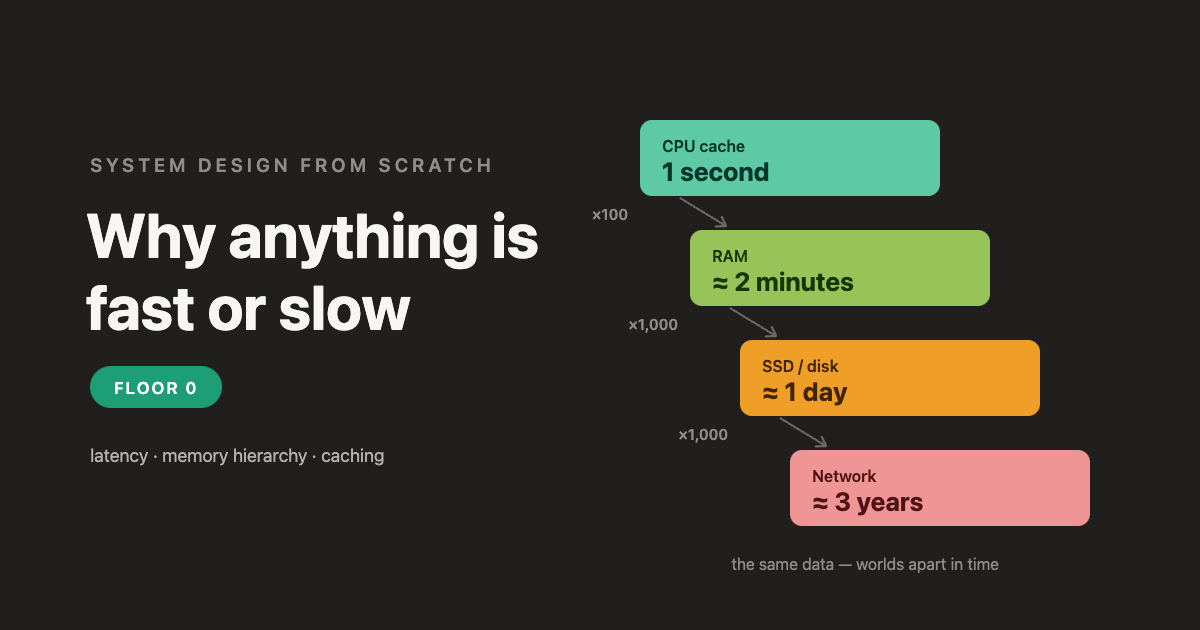
1. A colleague says: "RAM vs. a local SSD is basically the same speed these days — just use the SSD." Is he right?
Answer
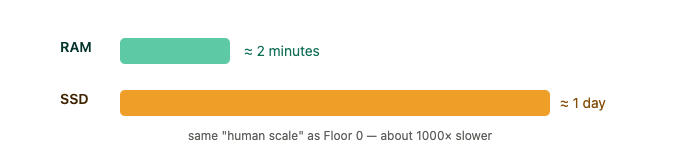
No — they're about 1000× apart (RAM ~100 ns, SSD ~100 µs). On the human scale where a cache hit is 1 second, RAM is ~2 minutes and SSD is ~1 day. "Basically the same" is really "2 minutes vs. a full day." Always reach for the concrete comparison.
2. An endpoint returns a user's live bank balance. A teammate wants to cache it "because caching always makes things faster." What's the danger?
Answer
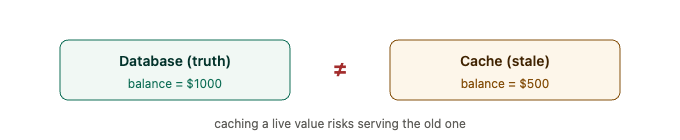
Caching is a trade-off, not a free win — it buys speed by risking staleness. A cached balance can show the wrong number right after a deposit. Ask: what's the staleness tolerance? For a balance it's near-zero, so either don't cache it, or invalidate on write (bust the cache the instant a transaction changes it) / use a very short TTL.
3. "Our cache hit rate is 100% — perfect!" Should you celebrate?
Answer

Be suspicious. A healthy cache almost always has some misses (new keys, first requests, evictions). 100% often means something degenerate: a collapsed key space (a bug sending the same key for everything), or entries that never expire (serving stale data forever). A metric that looks perfect usually means the system or the measurement is broken. (Note: eviction/LRU makes room; invalidation/TTL fights staleness — different jobs.)
Floor 1 — What one machine can do
 Neeraj Dana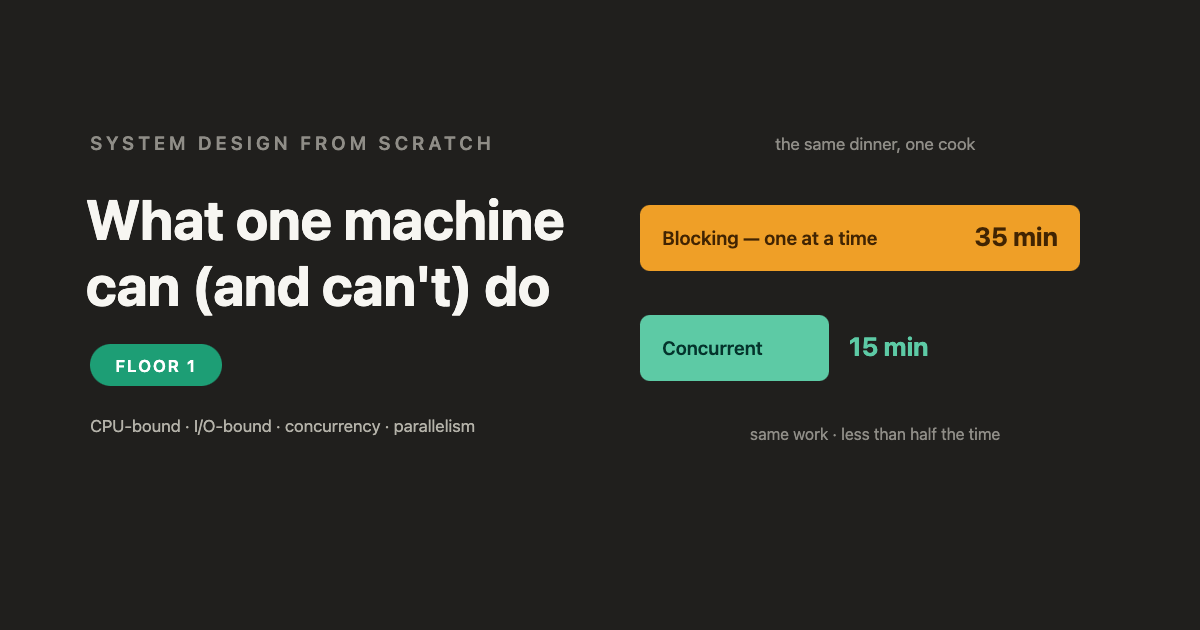
4. A pure number-crunching job on a 4-core machine is slow. A dev says "I'll make it async/concurrent to speed it up." Will it help?
Answer

No. Concurrency only helps by filling waiting time, and pure computation has no waits to fill. It's CPU-bound → you need parallelism (spread the work across cores). Also check: a single-threaded job uses only 1 of the 4 cores, so real parallelism could give ~4× before you even add hardware.
5. An I/O-bound server improves when threads go 10→100, but gets worse at 100→5,000. Why?
Answer
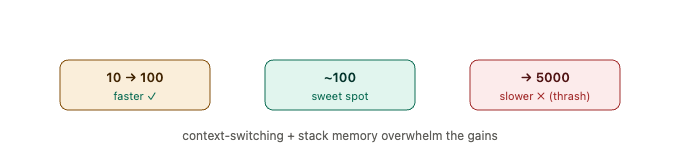
Once ~100 threads cover all the concurrent waits, there's nothing left to overlap — extra threads add pure cost: context-switching overhead (the scheduler thrashes juggling thousands of threads on a few cores) and memory (each thread's stack, ~1 MB). Diminishing returns become negative returns. (This is why high-concurrency servers often use an event loop instead.)
6. "We made the service concurrent, so now it uses all 8 cores." What's the confusion?
Answer
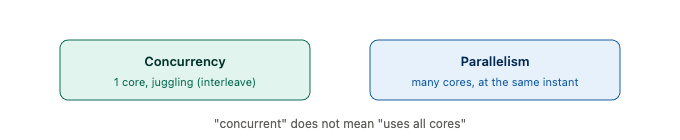
Concurrency ≠ parallelism. Concurrency is dealing with many things by interleaving — it can run on a single core (an event loop, or Python under the GIL). Using all 8 cores requires parallelism — multiple threads/processes actually running at the same instant.
Floor 2 — How machines talk
 Neeraj Dana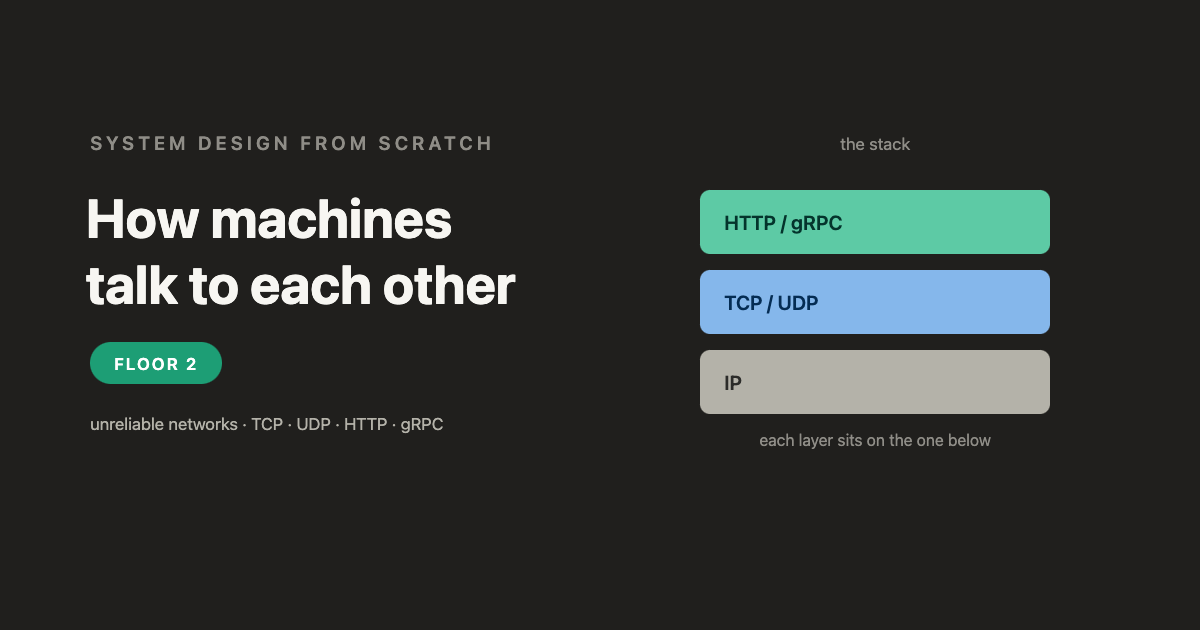
7. A call to a payment API times out. A teammate says "timeout means it failed — just retry." What's wrong?
Answer
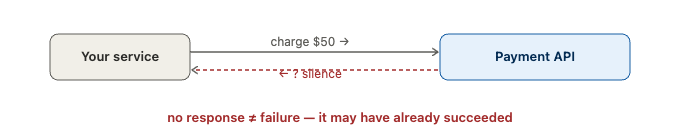
Silence is ambiguous — no response ≠ failure. The charge may have succeeded, with only the reply lost. Blindly retrying then double-charges. Retry, yes — but with an idempotency key so the repeat is recognized and safe.
8. An "inventory decrement" call is retried on timeout, and stock occasionally drops by 2. Is it a bug elsewhere?
Answer
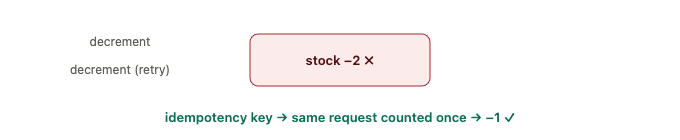
No — the retry is the cause (same ambiguity as Q7). The fix is an idempotency key on the inventory API so a duplicated request is detected and skipped.
9. An engineer switches a live multiplayer game from UDP to TCP "for reliability." Now players see lag spikes and rubber-banding. Why did more reliability make it worse?
Answer
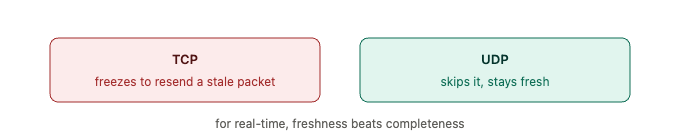
Head-of-line blocking. TCP guarantees in-order delivery, so if one packet drops, it freezes and retransmits it before delivering the newer packets that already arrived — waiting on a stale position nobody needs. UDP just skips the lost packet and moves on. For real-time data, freshness beats completeness → UDP.
10. A team picks gRPC for a public, browser-facing API "because it's faster than HTTP/JSON." What problem hits them?
Answer

Browsers can't natively speak gRPC (it needs low-level HTTP/2 framing; you'd need a proxy), and every third-party dev must adopt your contract + tooling. Use HTTP/JSON — universal, readable, works everywhere. gRPC's place is internal, high-volume, service-to-service.
Floor 3 — Storing data so it survives
 Neeraj Dana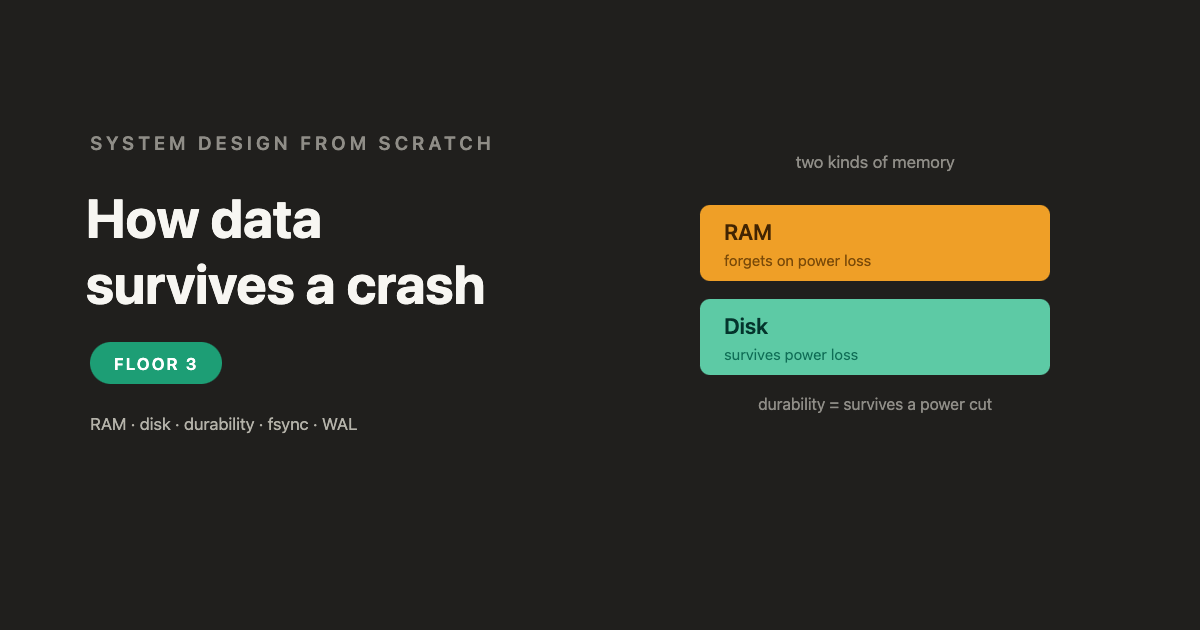
11. A database has blazing-fast writes. After a power outage, the last ~3 seconds of "committed" transactions are gone. What happened, and what trade-off was it making?
Answer

It acked before the data was truly durable — fsync was off / commits were async, so "committed" writes were still in the RAM page cache when power died. The trade-off was durability for latency. Fix: fsync the WAL before acking, and use group commit to amortize the cost.
12. Why is appending to a log and fsync-ing it faster than writing the change to its final place in a big data file and fsync-ing that?
Answer
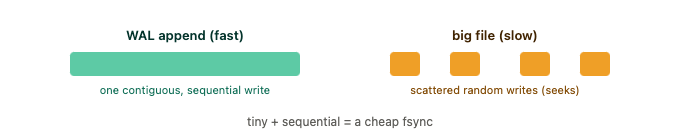
The log record is tiny and it's a sequential append to the end of one file — the disk writes it in one contiguous stroke. Writing into the big file means random, scattered writes (seeks). Small + sequential = a cheap fsync.
13. "We write to a WAL, so we're durable." Always true?
Answer

Only if you fsync the WAL before acking. A WAL entry sitting in the page cache, unsynced, is just as losable as anything else. The WAL gives cheap durability — but only when you actually force it to disk before promising "committed."
Floor 4 — When one machine isn't enough
 Neeraj Dana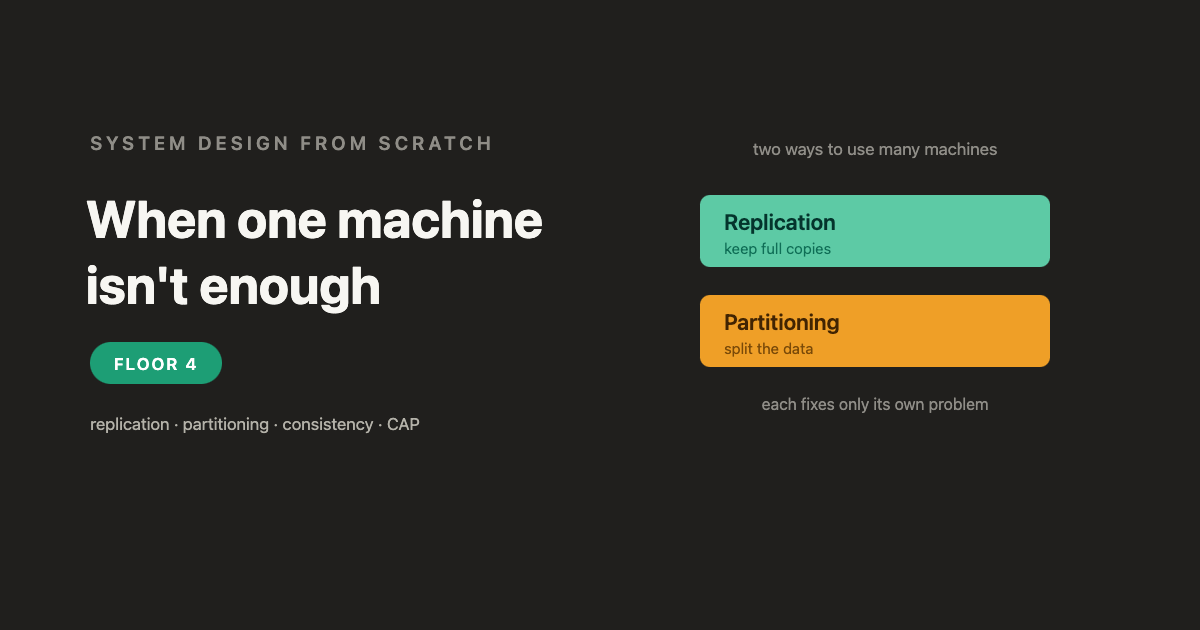
14. You replicate your data to 3 machines. Have you also solved your capacity problem (too much data for one machine)?
Answer

No. Replication = copies → it fixes fault tolerance (and read scaling), but every machine still holds the whole dataset, so it adds no capacity. For capacity you need partitioning (split the data). Real systems do both.
15. 3 replicas, async replication, reads spread across all 3. A user edits their profile and sometimes sees the old version on refresh. What's happening, and give two fixes.
Answer
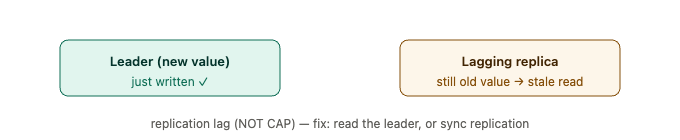
Replication lag under eventual consistency — the read lands on a replica that hasn't caught up (a read-your-own-writes violation). Not CAP; nothing is partitioned. Fixes:
(1) read from the leader for a short window after a write;
(2) sync/semi-sync replication (or version-tag the client and only read from a replica that's caught up).
16. An architect says "We're CP, so we're always consistent and never go down." What's wrong?
Answer

Being CP means that during a network partition you sacrifice availability — you refuse requests rather than diverge, so you do go down then. You can't claim both C and A during a partition — that's the whole point of CAP. (Caveat: CAP only bites during a partition; when healthy you get both.)
17. You shard by hash(user_id). One enterprise customer generates 60% of all writes. What happens, and how do you fix it?
Answer
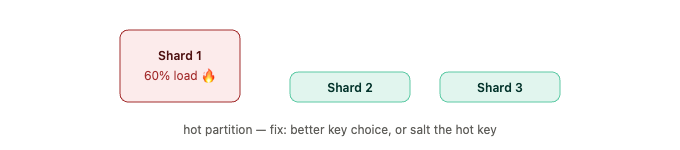
A hot partition (data skew / the "celebrity problem"): that one shard melts while the others idle, defeating the split. Fixes: choose a better key (higher cardinality, even spread); for a single hot key, salt it (append a suffix to fan its writes across sub-shards) or give it dedicated resources.
Floor 5 — Patterns & the one tension
 Neeraj Dana
18. An app on 3 servers works fine. The team adds 5 more (now 8), and users start getting randomly logged out. Why did adding capacity break sessions?
Answer

Sticky sessions + local state. Session data lived in each server's memory, and routing pinned each user to one server. Adding servers reshuffled the routing, so users landed on machines that never saw them → logged out. Fix: make the servers stateless and move session state to a shared store any machine can read.
19. A video upload triggers a 45-second transcode, done synchronously. Under load, requests time out. What's the fix, and what does it buy you?
Answer
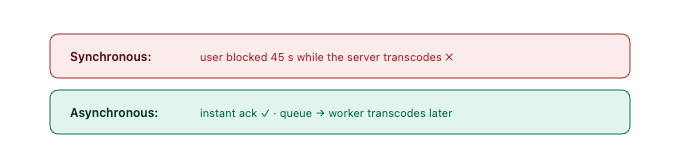
Do it asynchronously: drop the job on a message queue, ack the user instantly, and let a background worker transcode later. Benefits: responsiveness (no blocking), load smoothing (bursts queue instead of melting you), and resilience (a crashed worker just retries — with idempotency). Cost: the result is eventual (notify or poll).
20. Name the one master tension that runs through the whole series — and the four distinct "correctness" words it splits into (people constantly blur them).
Answer
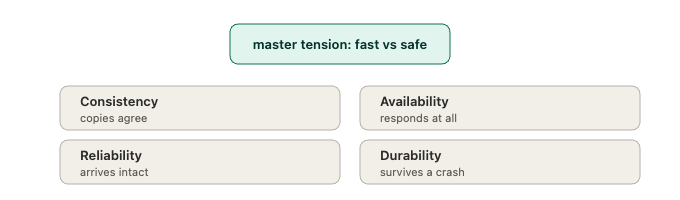
The master tension is fast vs. safe (speed vs. correctness). The four correctness words are not interchangeable:
- Consistency — do the copies agree? (caches, replicas)
- Availability — does the system respond at all? (CAP, uptime)
- Reliability — did the data arrive intact/complete? (TCP, delivery)
- Durability — does it survive a crash? (fsync, WAL)
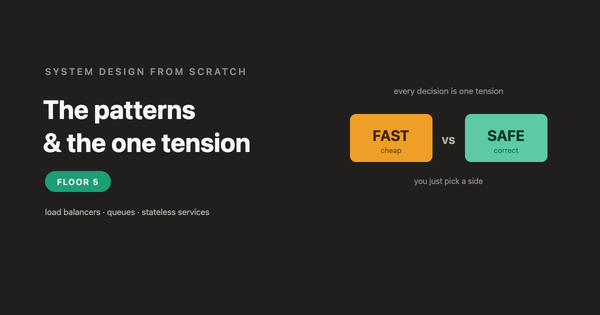
Every design decision turns one of these knobs; you pick a side based on the cost of being wrong for that specific data.
How'd you do?
- 17–20 confident: your foundation is genuinely solid — you're ready to go deep on the internals.
- 12–16: good — revisit the floors behind the ones you missed.
- Under 12: re-read the series in order; the ideas build on each other floor by floor.
The whole point was never memorizing answers — it's recognizing which knob each scenario is turning. If you can do that, you're thinking like a principal engineer.
See you in Deep Series -->
Happy Coding